New on PowerUp: Track your family’s mutual funds in one place
2 min read • Published 27 Jan 26


Managing your family’s investments – parents, spouse, children – often happens very disorganised, where one person is usually handling all details in an Excel spreadsheet that doesn’t get updated often.
The
It lets you
Once added, you’ll be able to see:
- All mutual funds held by
each family member Current portfolio value & allocationPortfolio movements against market indices- Which funds are
doing well and which arelagging - Funds that need to be
rebalanced (Elite only feature) - Switching from
Regular to Direct funds (Elite only feature) - Personalised
allocation recommendations based on their risk appetite (Elite only feature)
👉 You can add up to 8 family members and join up to 8 family accounts.
➡️ How to add your family member on PowerUp
Step 1: Go to the Family section
On your PowerUp app, go to the toggle on top of your screen to access. A bottom sheet will appear once you click on it.
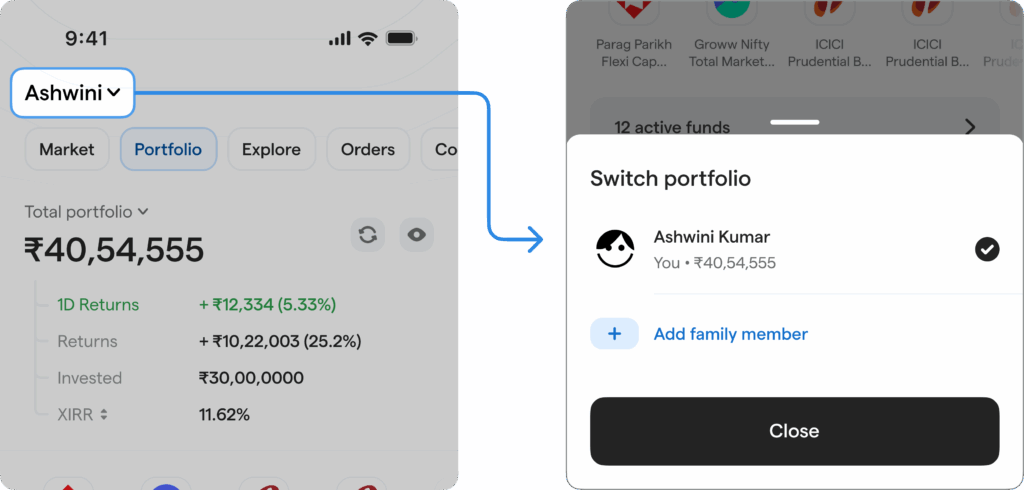
Step 2: Add a family member
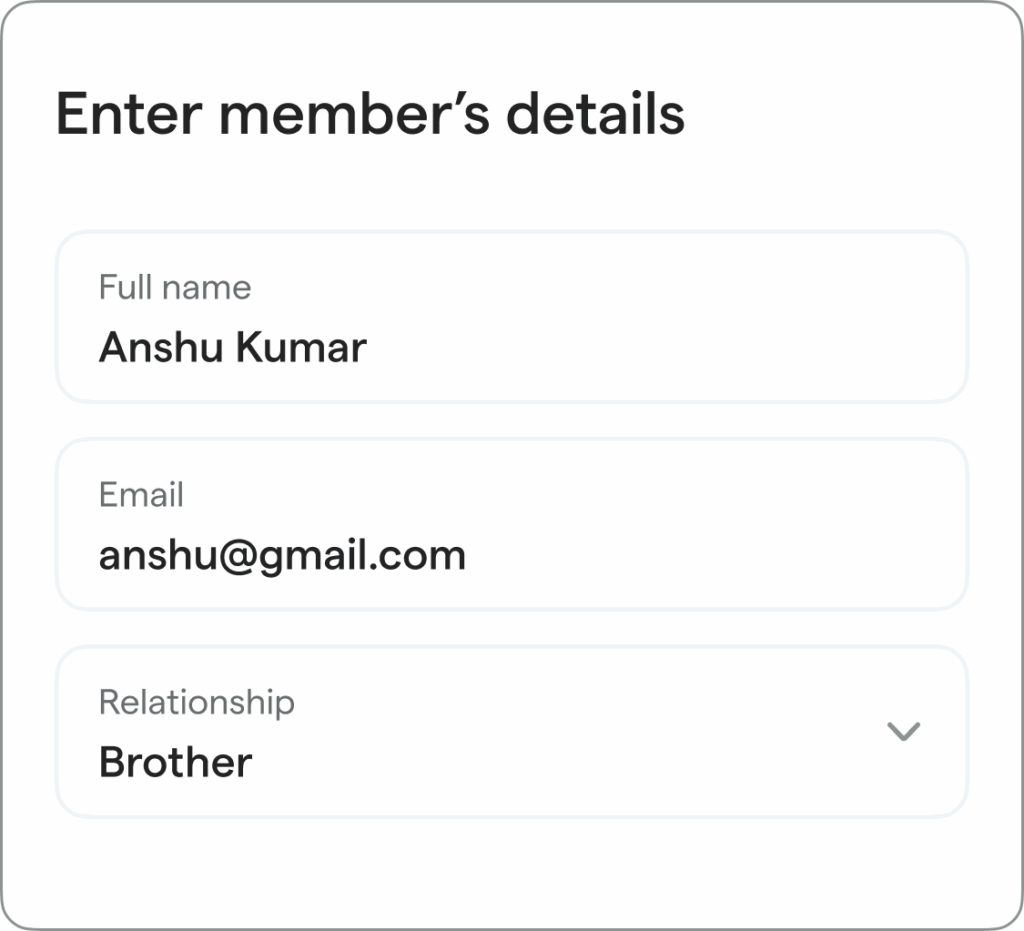
Here, click on ‘Add family member’ – and verify their phone number first. An OTP will be sent to their phone number. Once verified, go ahead and fill their:
- Name
- Email ID
- Your relationship with them
Step 3: Fetch their portfolio securely
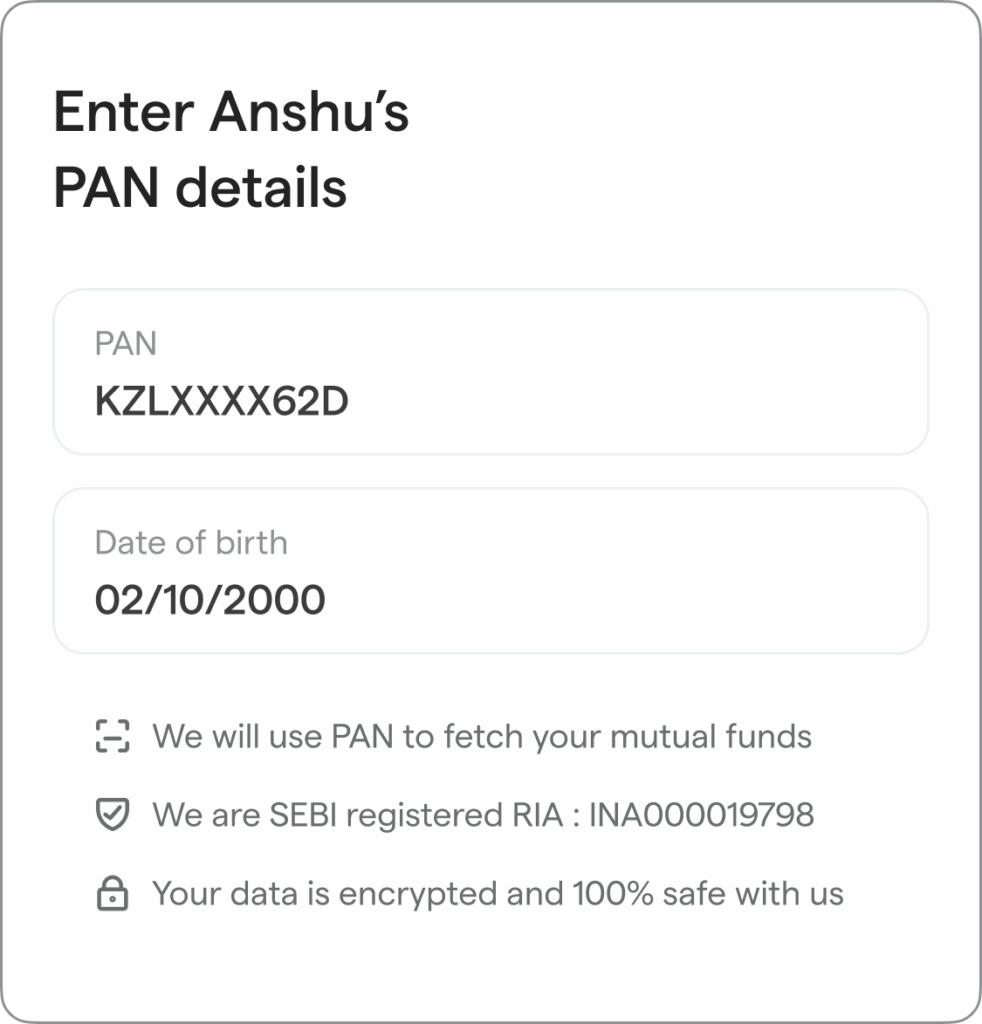
Once their details are filled and the phone number is verified, enter their PAN details to fetch their mutual fund portfolio. An OTP will be sent again to securely pull their portfolio data.
After that’s done, you will be all set to:
Switch between family members portfolios- View each portfolio
in detail Track fund performance and see if any funds need action
➡️ Who is it for?
-
Managing parents’ investments
Parents often hold: - Legacy funds
- Regular plans
- Outdated or unbalanced allocations
- Underperforming funds
With ‘Family,’ you get
visibility on their portfolios — without constantly asking for statements or updates. -
One person handles finances for the family
In many households, one member tracks investments for everyone — spouse, children, parents. This feature lets them stay on
top of all portfolios and guide with any changes accordingly.
In short,
➡️ What can you see?
Beyond just viewing portfolio values & fund details, ‘Family’ lets you go deeper:
-
Portfolio Performance:
Clearly see which of their funds are in-form or out-of-form. -
Rebalancing plan (Elite only feature) :
If your family member is also an Elite member, you’ll be able to view their personalised rebalancing plan: which funds to exit, switch, and the steps on how to do it. -
Regular vs Direct plan (Elite only feature) :
See exactly how much they are losing out in commissions and view their tax-efficient plan to move to Direct funds. -
Power Allocation (Elite only feature & coming soon) :
Know how much they should invest in equity, debt, gold & silver, etc. based on their goals and risk appetite.
This makes it easier to guide decisions – not just observe data.
🔶 Elite benefits for your family – at a special price
If
🙌 You can get Elite for them
That means your family also gets access to:
- Power Rank
- Power Rebalancing
- Regular to Direct fund switching plan
- Quarterly portfolio reviews by SEBI regd. advisors
And all upcoming Elite features.
👉 Even if
Join

Try it out now on the PowerUp Money app!
Related Articles
Slide 1 of 2

Top Articles
Slide 1 of 8